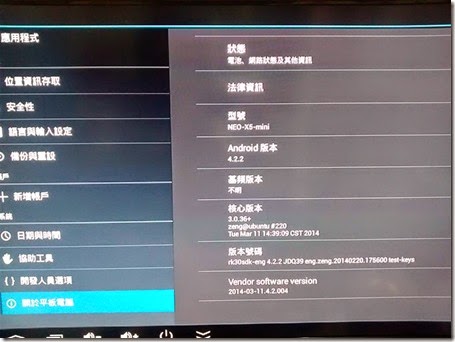
The Neo X5 mini is running on Android 4.1.1 like the following:

To upgrade to 4.2.2, you need a USB type A to USB type A cable to connect to a PC.
WARNING:
Backup all data before you do the Restore, all data will be lost.
***After the computer indicates the restore process is done, system will reboot itself immediately and therefore
you SHOULD NOT unplug the power for at least another 5 minutes to allow the rest of the recovery process to complete.
We recommend you to do the flashing with the HDMI connected to a display so that the whole process can be seen on screen.
Incomplete flashing will lead to firmware corruption and system abnormalities.***
(The whole upgrade process will take around 8 minutes, 3 minutes flashing restore through a PC,
and 5 minutes to recover after restoring, please DO NOT unplug the power during the process until you enter the Android OS
for the 1st time or system might be corrupted.)
The upgrade steps at the following:
1. Download the latest firmware for NEO X5 mini - http://www.minix.com.hk/Support.htm
The NEO X5mini 4.2.2 4th FW Release (0311) download link:
http://www.minix.com.hk/Support/14031812195232.html

2. Go to Setup –>Devices –> USB, select “Connect to PC”

3. Run the “DriveInstall.exe” to install the driver for connect Neo X5 mini (Optional – if install those rockusb driver before you might skip this steps)

4. Run the “RKBatchTool—1.7.exe”

5. Select the firmware and click “Restore”:

6. When you see the following message, the Neo X5 mini should be rebooting and please wait for the upgrade complete.

7. The first time start up of the X5 after upgrade, you will ask for select the launcher.

8. You will see the Android verison is 4.2.2 now.